Google Meet: Simple, Secure Video Collaboration

Google Meet is Google Workspace’s enterprise-grade video conferencing solution, designed for effortless, secure meetings and collaboration.

Connect NZ helps businesses leverage Google Meet’s powerful features to enhance remote and hybrid teamwork, with seamless integration across Google Workspace apps.

Google Meet offers fast, reliable video meetings accessible from any device — browser, mobile, or hardware room systems. With built-in security, real-time captions, and adaptive video quality, Meet supports effective collaboration for teams of all sizes.

Key Google Meet features:


Easy scheduling and joining

Integrated with Google Calendar and Gmail for one-click meetings.

A close-up view of a person's hand and finger reaching forward, seemingly touching a digital interface. The interface is composed of white, glowing lines and icons forming a circular pattern. A large padlock icon, symbolizing security, is centered where the finger makes contact. Surrounding the center are various business-related icons, including a shopping cart, a magnifying glass, an envelope, and people, all connected by a web of lines, representing network connectivity and cyber security. The background is a bright, indistinct office setting.


Security and compliance

End-to-end encryption, secure meeting controls, and compliance certifications.
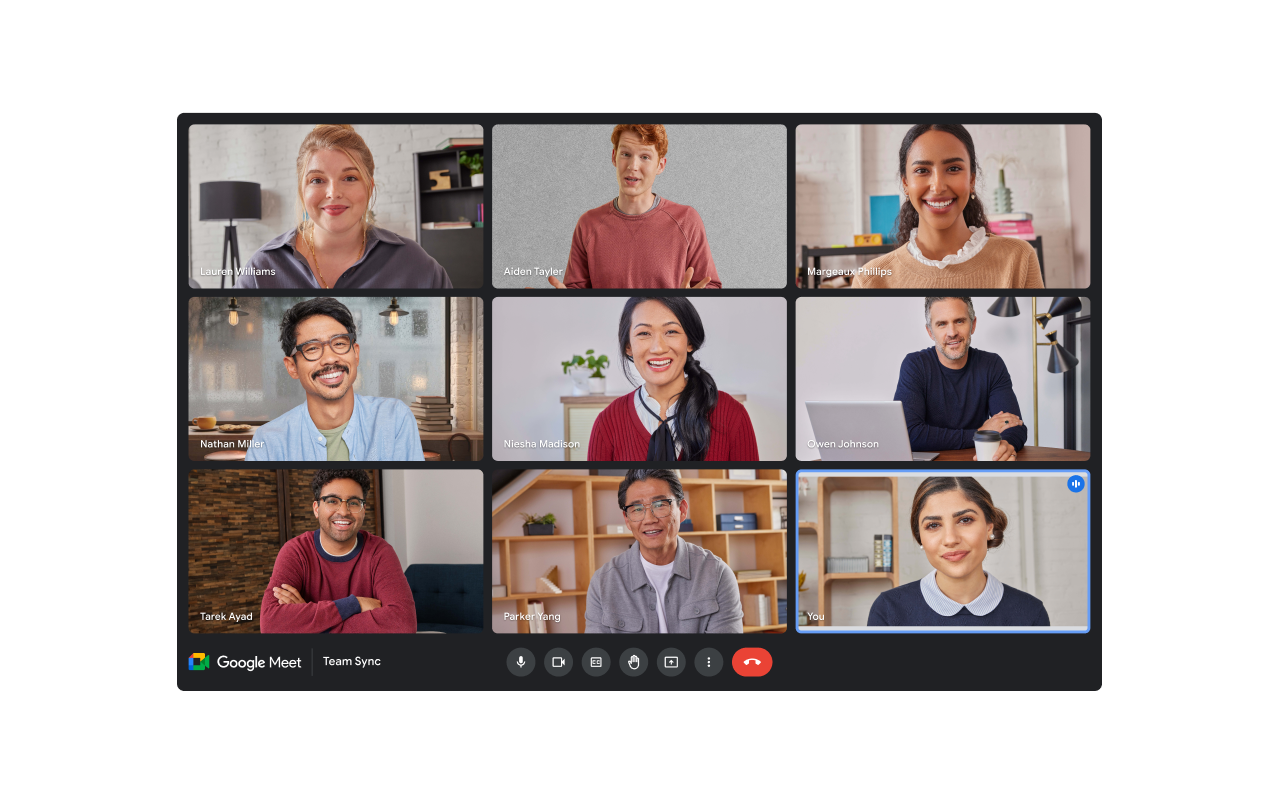
A screenshot of the Google Meet video conferencing interface displaying a grid of nine participants, labeled with their names. The participants are diverse and smiling, with eight identified by name, and the bottom right tile labeled You. Below the video grid, the application bar shows the Google Meet logo, the text Team Sync, and controls for the microphone, video, and call termination.


Smart collaboration

Live captions, noise cancellation, and real-time chat enhance communication.
A stylized digital icon for the Google applications. It features a bright blue rectangle in the foreground with a white uppercase letter G and three horizontal lines, representing text or a list, to the right of the letter. Behind the blue layer, three other colored rectangles are visible: red, yellow, and green, layered at different angles. The entire image is set against a black background.


Google Workspace integration

Seamlessly collaborate across Docs, Sheets, Slides, Chat, and Drive.
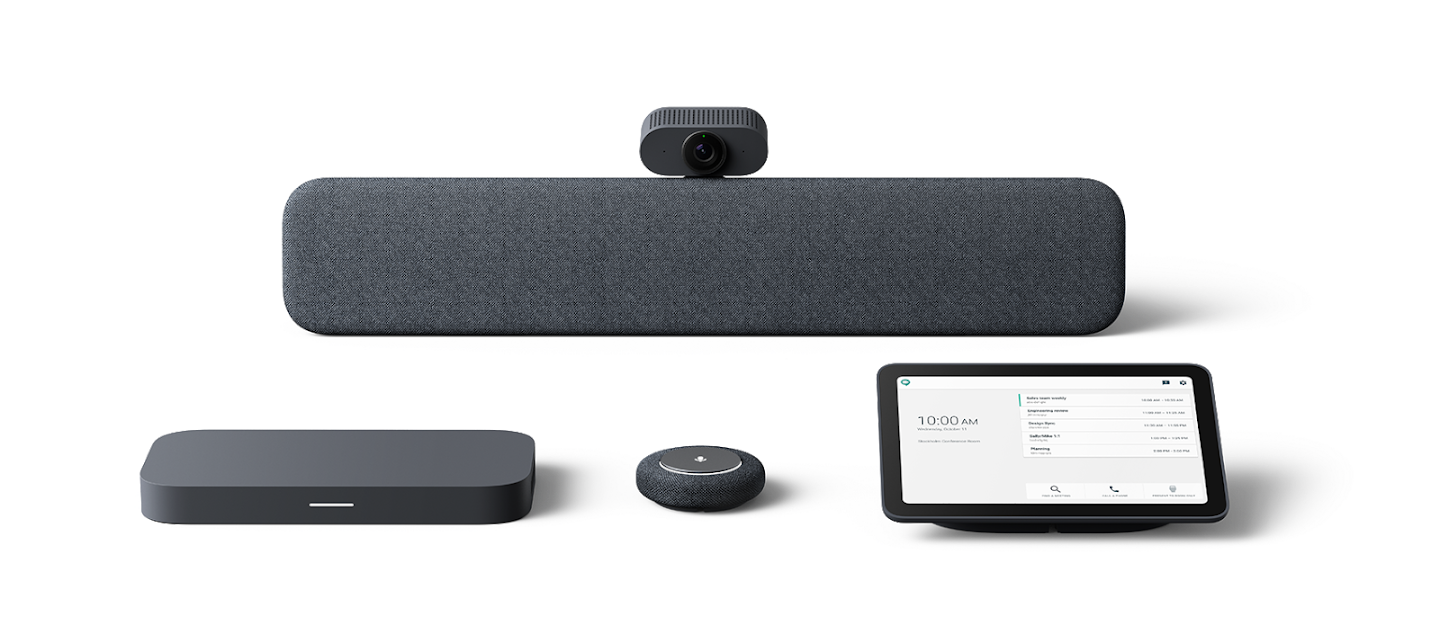
A set of Google Meet Series One room conferencing hardware components arranged against a plain gray background. The core devices include a long, horizontal fabric-covered soundbar with a camera mounted on top, a flat black device, a small circular microphone puck, and a black touch-screen controller displaying the meeting schedule and room name.


Hardware support

Compatible with Google Meet Series One room devices and other certified hardware.


Easy scheduling and joining

A close-up view of a person's hand and finger reaching forward, seemingly touching a digital interface. The interface is composed of white, glowing lines and icons forming a circular pattern. A large padlock icon, symbolizing security, is centered where the finger makes contact. Surrounding the center are various business-related icons, including a shopping cart, a magnifying glass, an envelope, and people, all connected by a web of lines, representing network connectivity and cyber security. The background is a bright, indistinct office setting.


Security and compliance

A screenshot of the Google Meet video conferencing interface displaying a grid of nine participants, labeled with their names. The participants are diverse and smiling, with eight identified by name, and the bottom right tile labeled You. Below the video grid, the application bar shows the Google Meet logo, the text Team Sync, and controls for the microphone, video, and call termination.


Smart collaboration

A stylized digital icon for the Google applications. It features a bright blue rectangle in the foreground with a white uppercase letter G and three horizontal lines, representing text or a list, to the right of the letter. Behind the blue layer, three other colored rectangles are visible: red, yellow, and green, layered at different angles. The entire image is set against a black background.


Google Workspace integration

A set of Google Meet Series One room conferencing hardware components arranged against a plain gray background. The core devices include a long, horizontal fabric-covered soundbar with a camera mounted on top, a flat black device, a small circular microphone puck, and a black touch-screen controller displaying the meeting schedule and room name.


Hardware support

Google Meet Logo

Connect NZ guides you through adopting and optimising Google Meet, from initial setup and hardware integration to training and ongoing support.

We ensure Google Meet aligns with your workflows, security policies, and collaboration goals.
Whether you’re enabling remote work, enhancing team meetings, or deploying video conferencing at scale, Connect NZ delivers a tailored Google Meet experience.

Choose Your Google Meet Capability:

Google Meet Video Conferencing

Google Workspace Integration

Google Meet Hardware Solutions

Google Meet Video Conferencing

Google Workspace Integration

Google Meet Hardware Solutions

Let’s explore how Google Meet can simplify your video collaboration with secure, easy-to-use tools embedded in Google Workspace.

Connect NZ will help you get up and running quickly and confidently.

Our customers are also interested in….